Getting Started

Claude Cowork and Desktop

Quick setup guide for Claude Cowork and Claude Desktop

Follow these steps after logging in to https://flocker.md
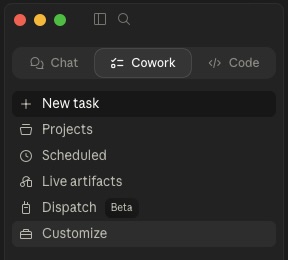
Click customize

Click customize

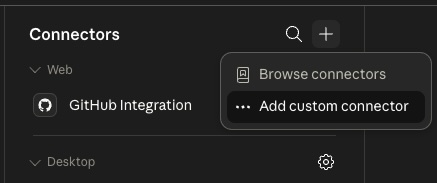
Click add a custom connector

Click ‘Add a custom connector’

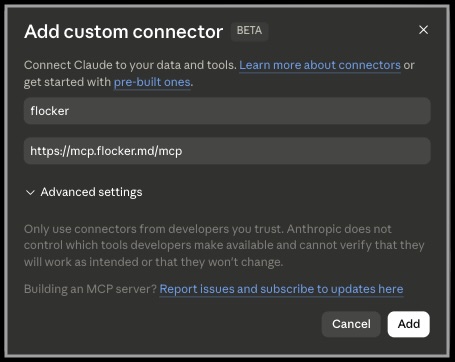
Add 'flocker' with
https://mcp.flocker.md/mcp

Add ‘flocker’ as a connector with ‘https://mcp.flocker.md/mcp

Click 'Connect' to login

Click ‘Connect’ to login

Authorize the MCP connection to your flocker account

Authorize the MCP connection to your flocker account

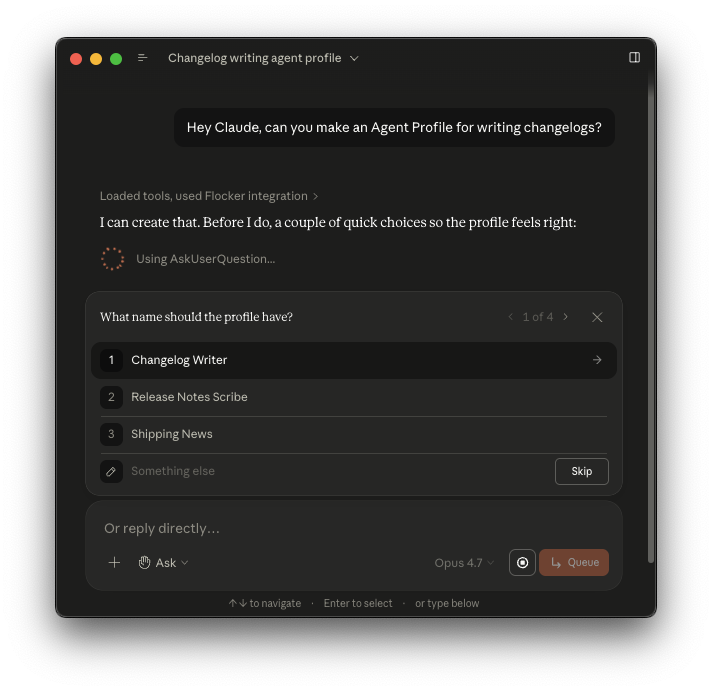
Ask Claude to create an Agent Profile

You can now ask Claude to create you a new Agent Profile